How does DNS work?
Understand the basics of DNS and its crucial role in translating domain names to IP addresses. This guide covers DNS resolvers, records, hosted zones, authoritative name servers, and the DNS resolution process, complete with examples and illustrations. Explore the essential concepts and see them in action with a basic DNS resolver in C++.
- published
- reading time
- 3 minutes
What is DNS?
DNS, or Domain Name System, is like the phonebook of the internet. DNS translates domain names (which humans use) to IP addresses (which browsers use).
What is a DNS Resolver?
A DNS resolver is a server that translates domain names to IP addresses by querying other servers (Root Name Servers) or returning results if stored in its cache.
What is a DNS Record?
DNS records provide information about a domain. They also help verify domains for use in SSL, DMARC, etc.
For example, an A record tells the IP address a domain points to:
www.google.com A 172.168.1.1
What are Hosted Zones?
All DNS records are added in a hosted zone (e.g., Route 53, GoDaddy).
Let’s say you own the domain eightfold.ai. You will create a hosted zone for it in your DNS provider. In the hosted zone, you will have multiple records like NS, A, CNAME, and TXT for eightfold.ai and its subdomains.
What is an Authoritative Name Server?
Hosted zones are served via an Authoritative Name Server. For each domain, an NS record is added which tells the Authoritative Name Server it is hosted on.
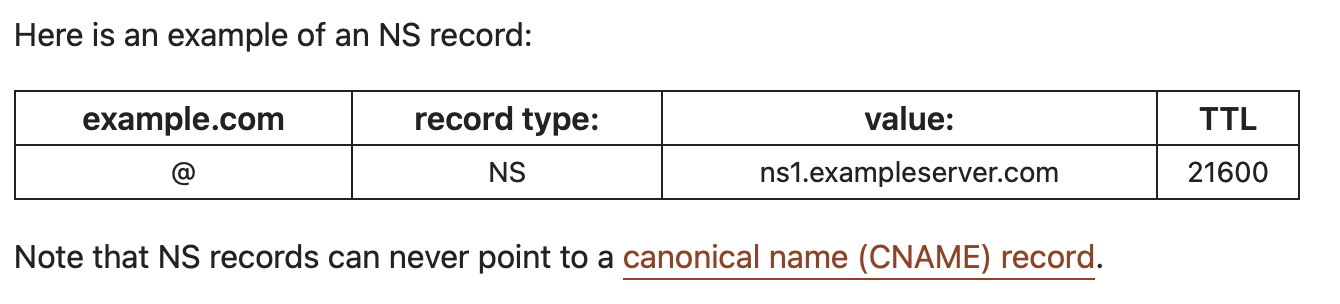 PS: Read Note
Example:
ns1.gns.com
ns-1.awsdns.com
How to Reach the Authoritative Name Servers to Get the IP Address of a Domain?
To reach the Authoritative Name Server, we must have its IP address. But we can’t directly query the single name server which holds the records of a domain as it can lead to:
- Too much load on the server
- Too much latency on the request
Hence, it’s decentralized using a DNS Resolver.
Who is the DNS Resolver?
Typically, DNS resolving is handled by the ISP. The ISP has servers that handle network packets and return the IP of the domains requested.
We can also create our own DNS resolver in /etc/resolv.conf (at the machine level). If we are using Wi-Fi, the router can also act as a DNS resolver.

Google DNS resolver: 8.8.8.8
Cloudflare DNS resolver: 1.1.1.1
Note: Going forward, we will assume that our router is our DNS resolver.
What Happens if We Search for www.google.com?

What are Root Name Servers?
There are a total of 13 root NS in the world:
a.root-servers.net
b.root-servers.net
.
.
m.root-servers.net
This does not mean there are only 13 physical servers. This means there are 13 fixed IP addresses.
Let’s take Verisign, which owns a.root-servers.net. There are multiple servers around the world, but they advertise the same IP address (a.root-servers.net) using anycast.
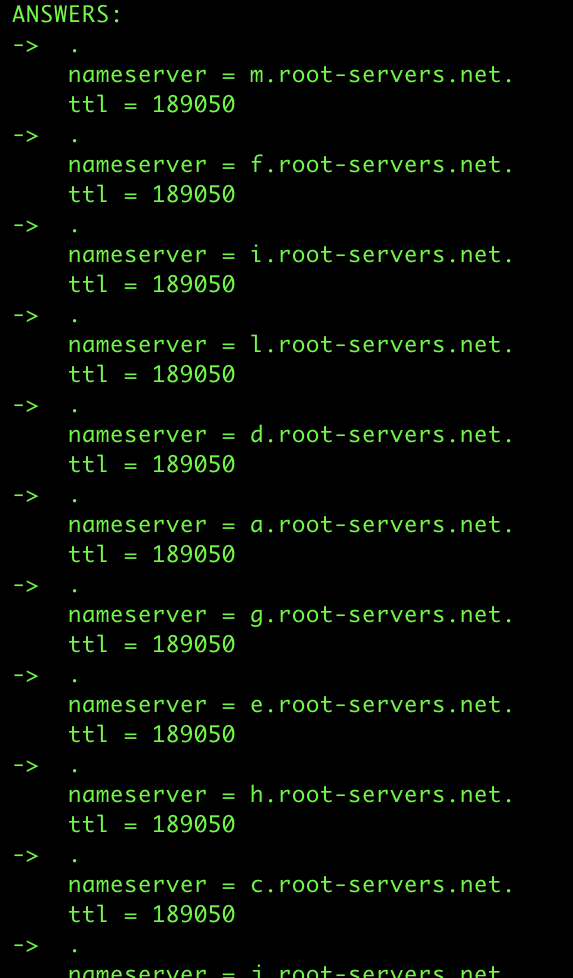
Let’s See the Root Name Servers Using the Command Below
nslookup -debug -type=ns .
Given . does not exist in any resolver’s cache or in any root NS, we can see how the request recursively goes through each root NS if the record is not found.
What Happens After the Request Reaches the Root NS?
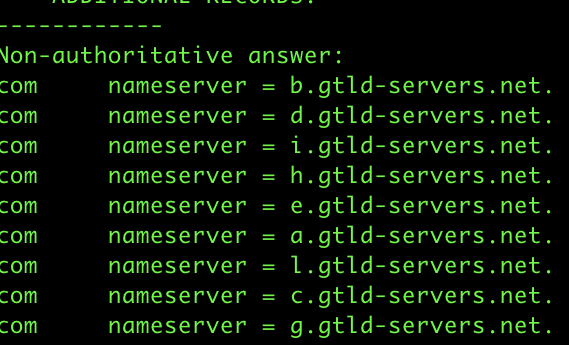
The Root NS responds with the IP of a TLD server that handles the specific TLD (Top Level Domain).
Here we can see the TLD servers of com:
The TLD server then responds with the Authoritative NS:
nslookup -debug -type=ns eightfold.ai
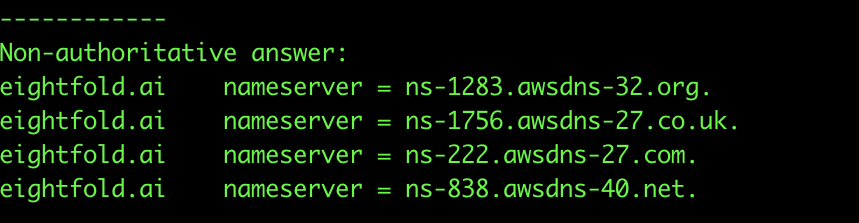
The Authoritative NS then holds the records of the domain and returns the IP address.
Overview
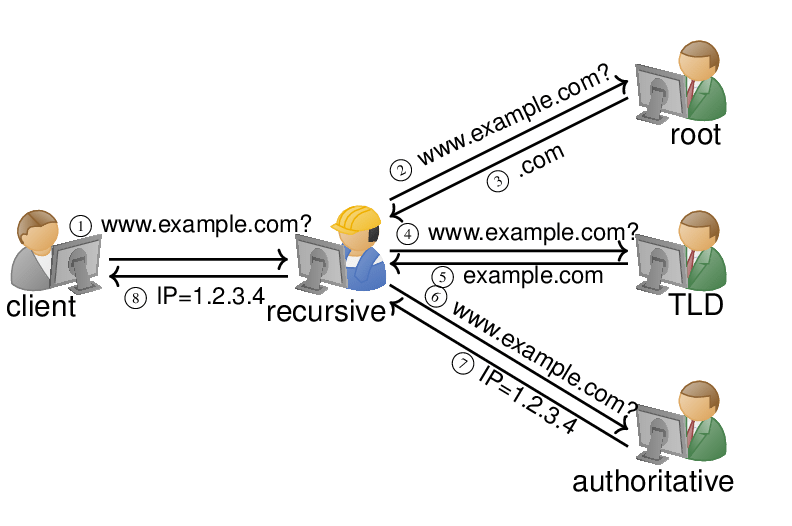
Note that there is caching at each layer in this flow.
Check Out This Basic DNS Resolver
I created a basic DNS resolver in C++ to see the above concepts in action. -> Basic DNS Resolver